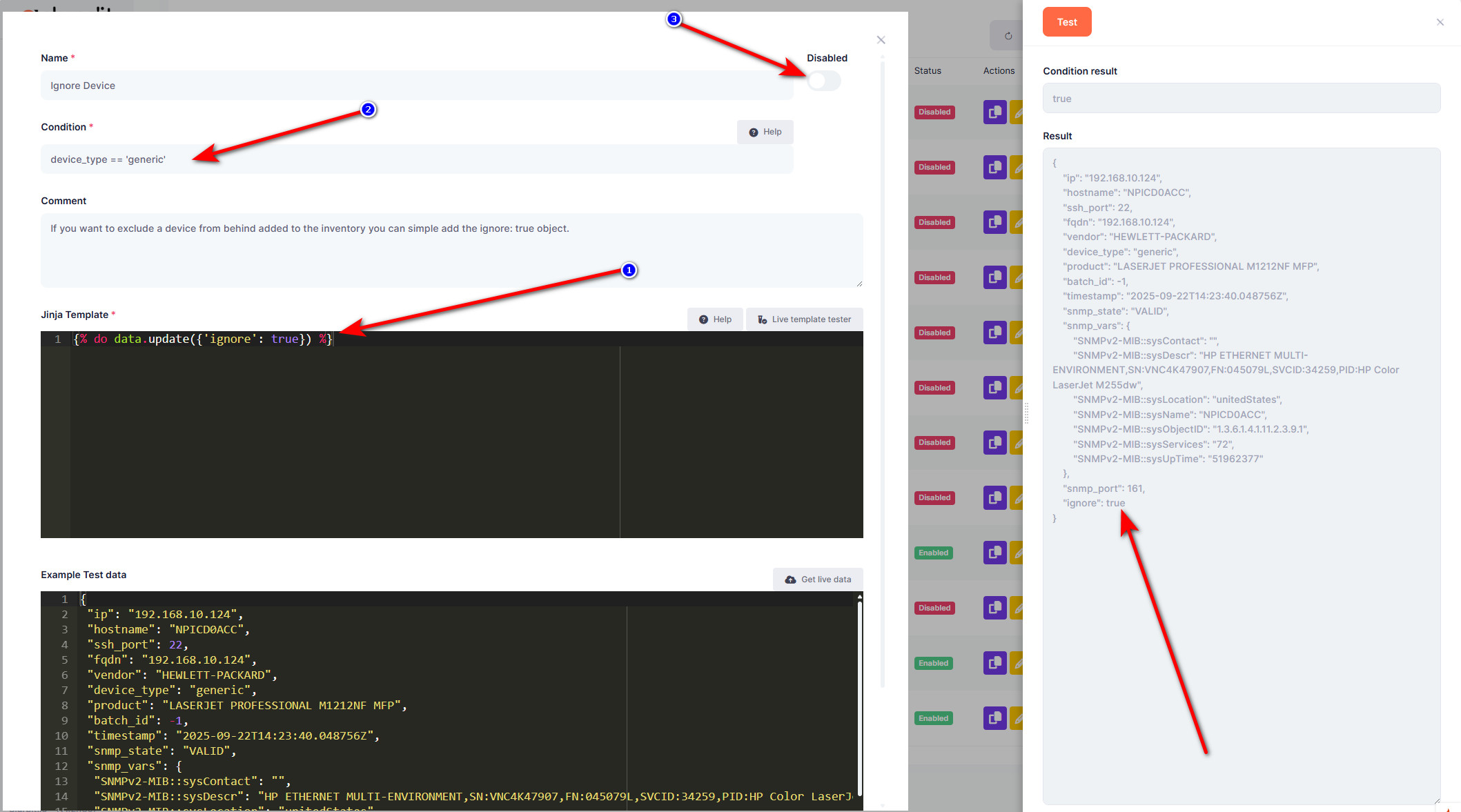
Maybe a 'Device' should be learned on a different IP address, or it should be not added at all. This is possible with the 'Ignore Device' Transform rule. We can create a rule with a condition, and when the condition matches, all matching devices will not be added or updated in the inventory.
Why is this useful?
- Make sure the device is learned on the right IP
- Exclude devices based on your own logic
Enable the 'Ignore Device' rule:
- Go in the Menu to Admin
- Click on Rules
- Pick the Tab Transform Rules
- Now choose Device Finder
- Click on the orange Add button
- Set the Name as 'Ignore Device'
- Write a Condition that fits your purpose, for example all device types called generic
device_type == 'generic'
- Add the following in the Jinja Template
{% do data.update({'ignore': true}) %} - Un-check Disabled and click on Save