# Return to the knowledge base
Category

It can happen that we don’t recognize a new vendor or hardware model. But no worries, our device recognition database can be easily extended. If you share with us your incomplete logs our team will make sure your devices are detected.

Download your Incomplete logs

  • Click on the right top on System Satus followed by  Device Finder
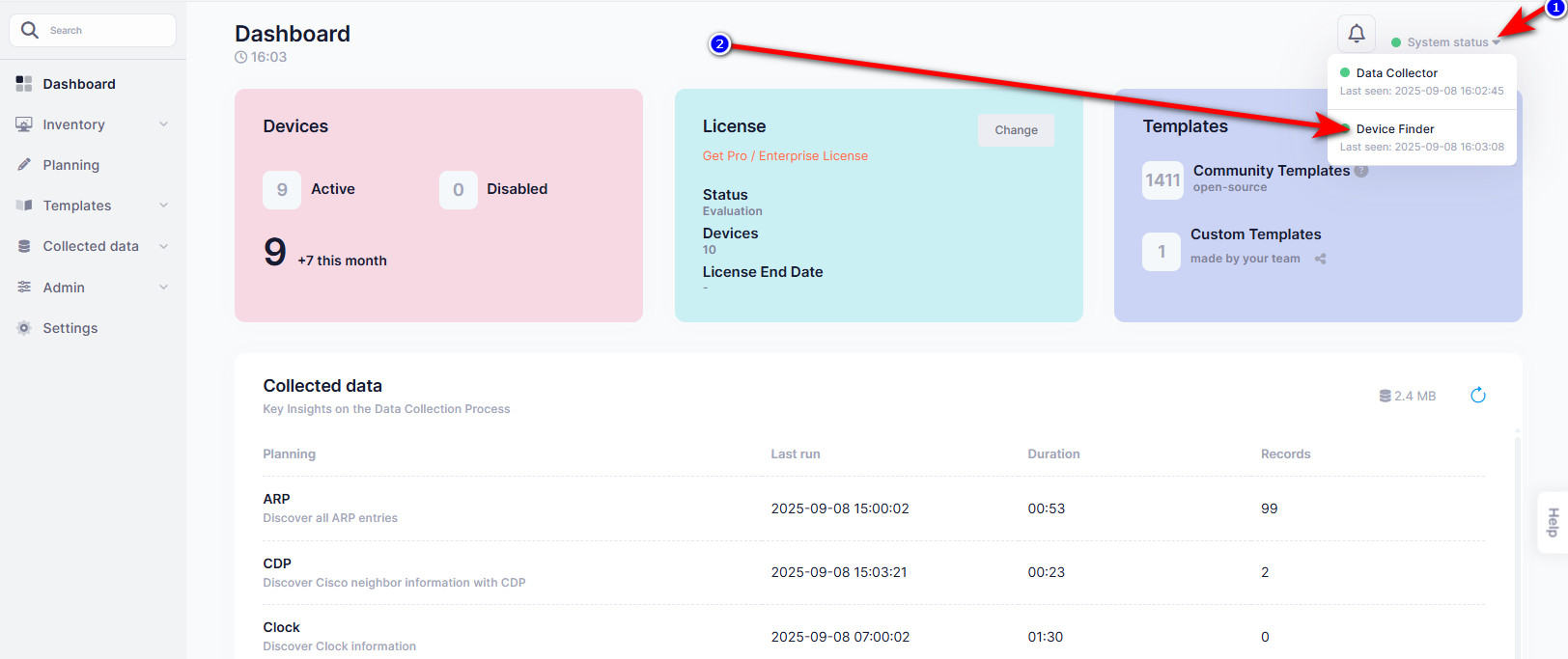
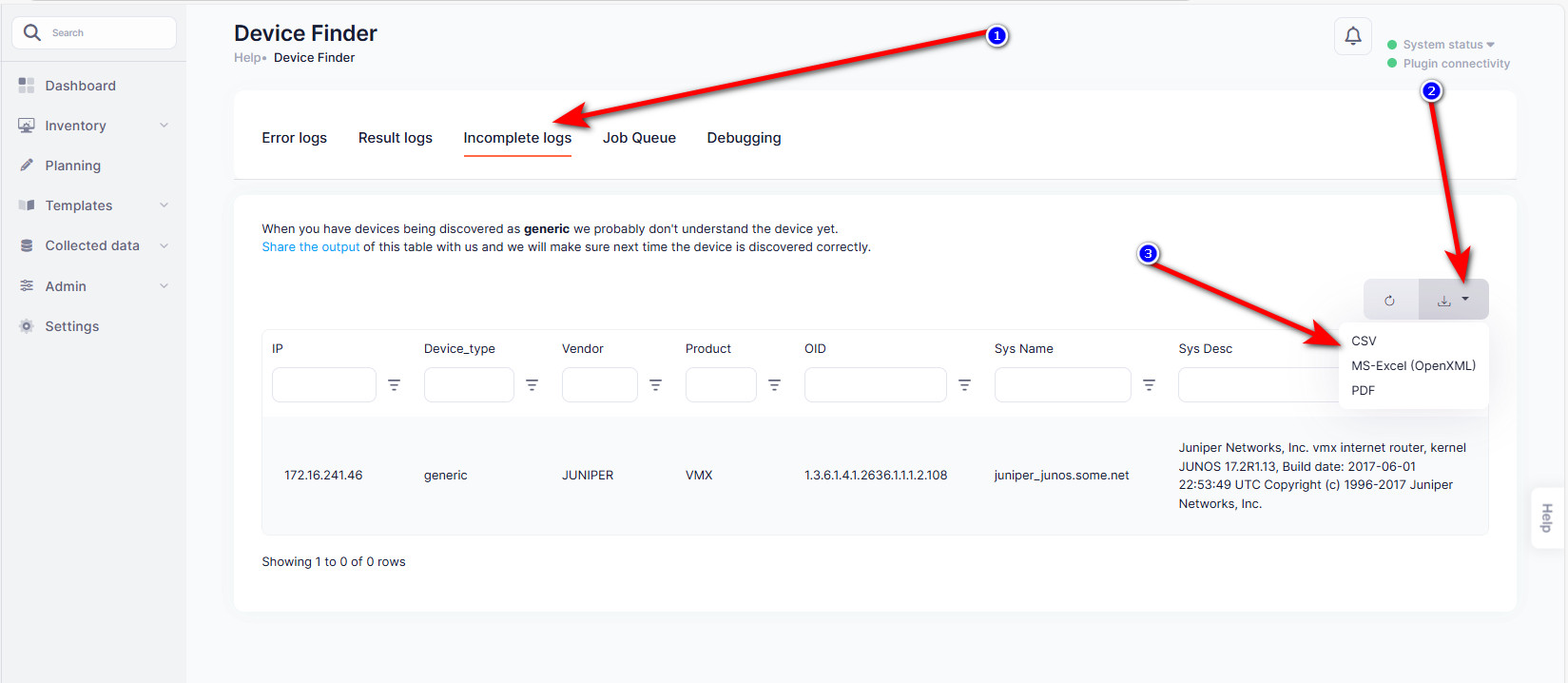
device finder logs
  • Click on the tab Incomplete Logs, set the page rows at the bottom to All and click on Download to CSV or Excel.
    • Export will only export what you see, therefor we have to set the rows per page to the maximum.
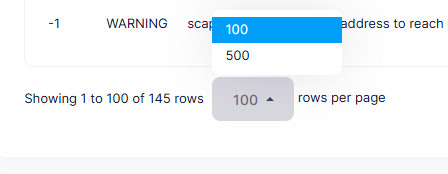
pagination
incomplete logs
  • E-mail this information to: [email protected] and we will reach out to you when the database is updated. Takes normally 2 days.

Would you like a hands-on session?

A couple times a week our in-house trainer is available for a private or group session. In this session we can cover our Slurp'it or Mock'it solution but also integrations with Netpicker, NetBox, Nautobot & Infrahub.

Yes, keep me informed

Connect with us on LinkedIn to stay updated on the latest happenings, news, and exciting developments at Slurp’it. Just click the button below to follow us and be a part of our professional network.

Newsletter


By submitting this form, I confirm that I have read and agree to the Slurp’it privacy policy.