What is a Driver?
A Driver is being used for Slurp'it to connect to the devices to get the Data.
By Default we support a lot of drivers already, so before you submit a new driver have a look at what we already support:
Troubleshoot a Driver
For our development team or for yourself to fix a Netmiko driver we need the following information:
- SSH / Telnet Session log
- Netmiko session log
SSh / Telnet session log
- Login on the device
- Preferably have a Banner configured
- Disable pagination ( look up the command for your vendor, on Cisco it is terminal length 0 )
- Disable screen width or set it to the max ( look up the command for your vendor, on Cisco it is terminal width 511)
-
- Show the command needed to go in Enable mode
- Go in Configure mode
- Go out of the Configure mode
- Are configurations automatically applied, or is it commit based? If it's commit based then show the commands on how to submit a new configuration.
- Save the outcome in a txt file.
Netmiko session log
Enable debugging
- Enable debugging on the container called Scraper (how to enable debugging)
- Restart the Slurp'it containers
- run the following on the terminal: docker logs slurpit-scraper -f
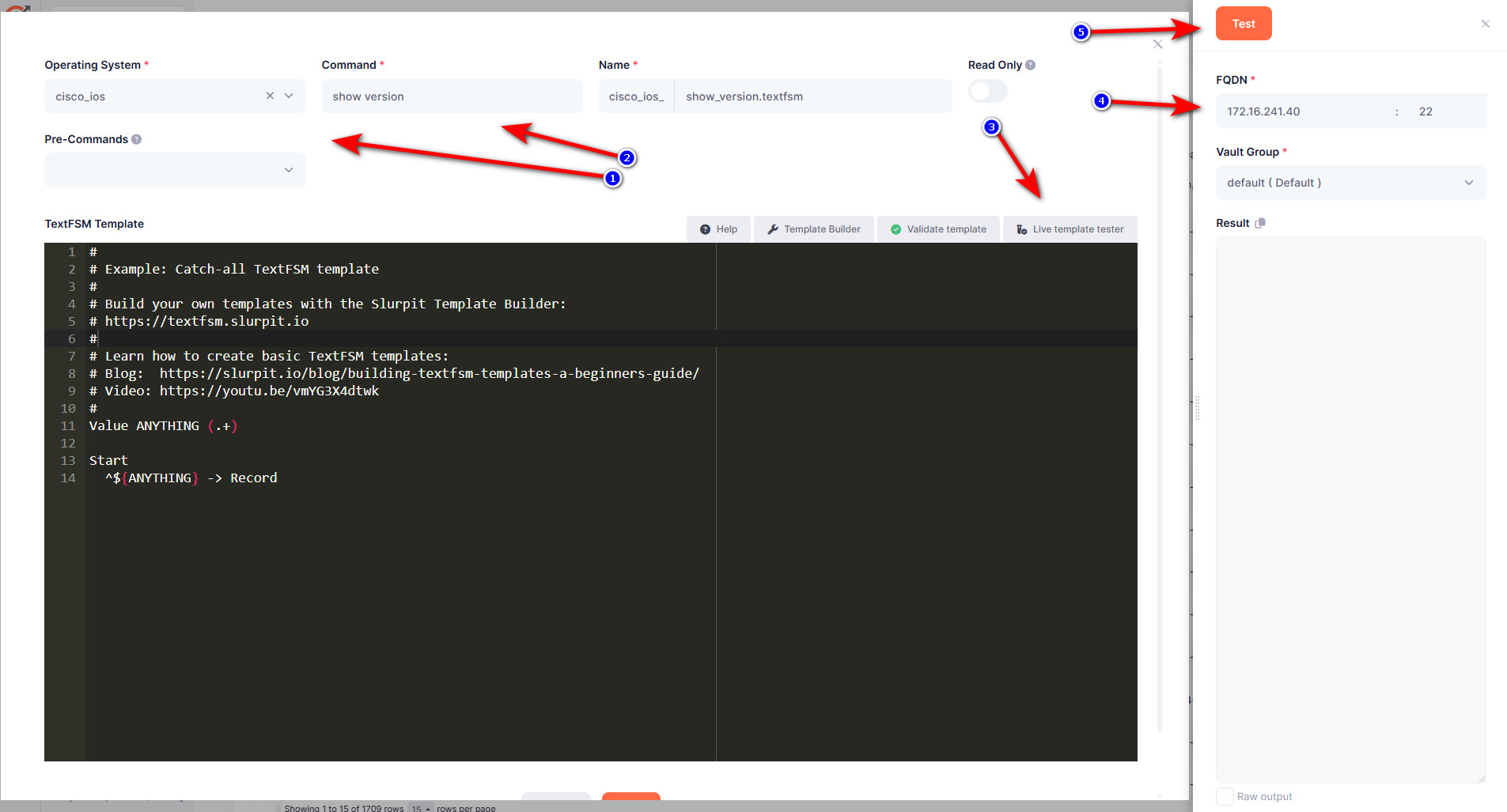
Test a template
- Login to slurpit
- Go to Templates -> Overview
- Click on the Add button
- Select your Operating System (driver)
- Type a command that works on the device
- Click on the button Live Template Tester
- Lookup a device which should work on the selected driver
- Click on Test
- Go have a look now at the terminal where you typed the command: docker logs slurpit-scraper -f
it shows a detailed outcome from the Netmiko Driver, save this in a txt file.
E-mail both the session log and the netmiko session log in txt files to: [email protected] and we will reach out to you when we start fixing the driver.