What is a planning?
A Planning is being used in Slurp'it to define your strategy in collecting data:
- Which data do you want to collect
- For what vendors
- What commands should be used to get this data
- For how long should the data be retained
- When & How often should we collect this data
- Normalize the outcome to a clean table
How to Update or Refresh my plannings ?
Out of the box we ship a bundle of plannings so that you don't have to start with an empty system. Those Plannings will never be automatically updated because it could be that you made changes to them. However it is possible to download and import / overwrite them.
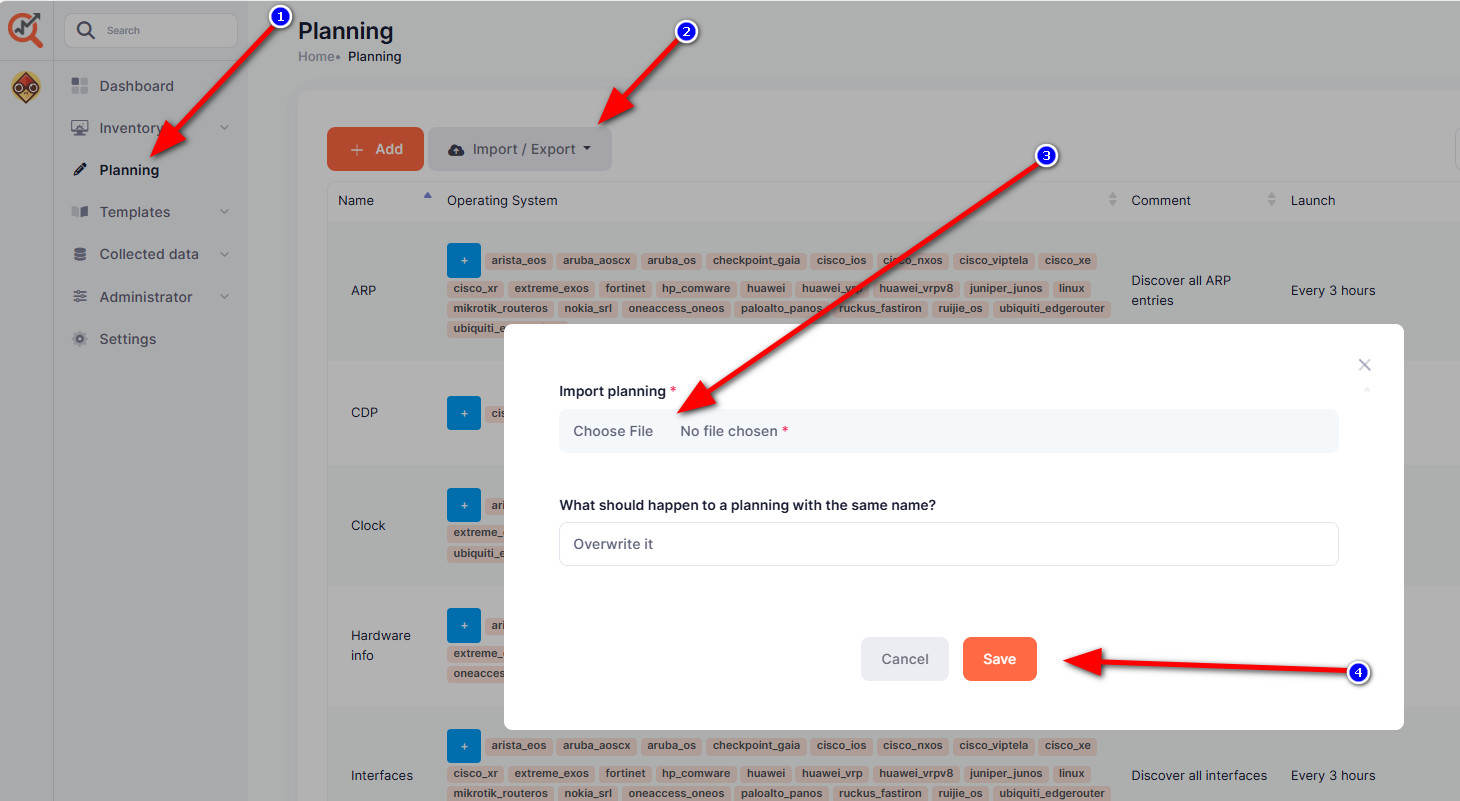
Import a Planning
- Login your Slurp'it instance
- Click in the menu on Planning
- Click on the button Import/Export and choose Import planning
- Select the planning file you want to import
- Click on import