By default Slurp'it has his own OID database which it will use to recognise your device vendor, type, and driver. 90% of the times this works perfectly, but there are vendors who use the same OID for different device types. Cisco is a good example - The Nexus and ACI line are physically the same, and the Cisco C1000 series gave us some challenges.
To solve this we implemented Transform Rules. With a Transform rule you can write a small Jinja2 template to manipulate data before storing it in the database.
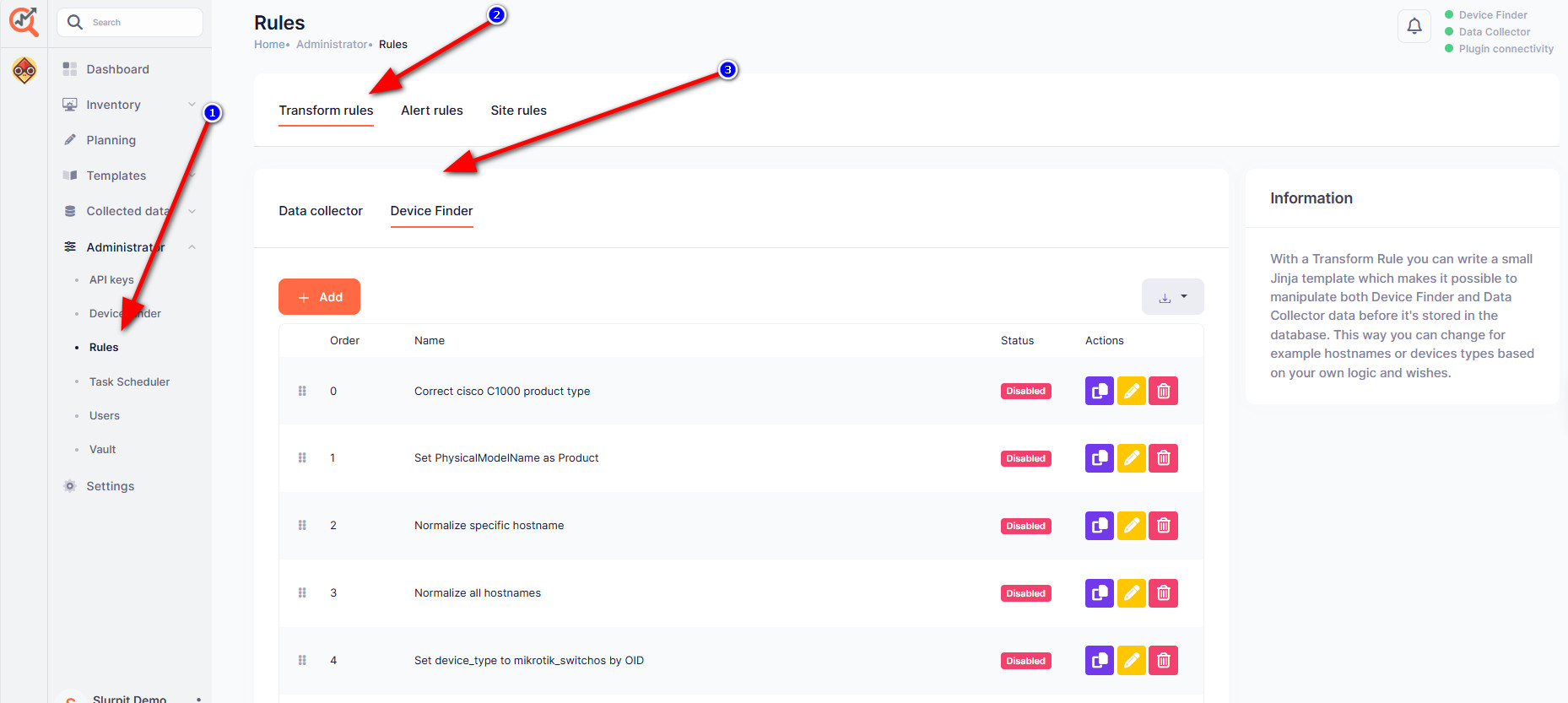
* note: The free version of Slurp'it only allows 3 transform rules
1. Enable the rule 'Set PhysicalModelName as Product'
From experience we learned that overwriting the Device Type with the SNMP variable: PhysicalModelName will fix most of the issues with Cisco devices. To help you out, we already created a rule for this, you only have to apply it.
Search for: Set PhysicalModelName as Product and enable it.
In the following example I use a payload from a Cisco C1000 device.
Before enabling the Transform rule the Device was discovered as:
{
"ip": "10.59.99.3",
"hostname": "C1000.slurpit.local",
"fqdn": "10.4.1.1",
"vendor": "CISCO",
"device_type": "cisco_ios",
"product": "CATALYST 1000"
}
After enabling the Rule the device was discovered as
{
"ip": "10.59.99.3",
"hostname": "C1000.slurpit.local",
"fqdn": "10.4.1.1",
"vendor": "CISCO",
"device_type": "cisco_ios",
"product": "C1000-24T-4G-L"
}
How does this work?
So the original payload of the discovered device looks like this:
{
"ip": "10.59.99.3",
"hostname": "C1000.slurpit.local",
"fqdn": "10.4.1.1",
"vendor": "CISCO",
"device_type": "cisco_ios",
"product": "CATALYST 1000",
"batch_id": -1,
"timestamp": "2025-05-21T16:47:33.246275Z",
"snmp_state": "VALID",
"snmp_vars": {
"ENTITY-MIB::entPhysicalAlias": "",
"ENTITY-MIB::entPhysicalDescr": "C1000-24T-4G-L",
"ENTITY-MIB::entPhysicalFirmwareRev": "15.2(7)E11",
"ENTITY-MIB::entPhysicalHardwareRev": "V02",
"ENTITY-MIB::entPhysicalModelName": "C1000-24T-4G-L",
"ENTITY-MIB::entPhysicalName": "1",
"ENTITY-MIB::entPhysicalSerialNum": "FOC2317Y5HL",
"ENTITY-MIB::entPhysicalSoftwareRev": "15.2(7)E11",
"SNMPv2-MIB::sysContact": "",
"SNMPv2-MIB::sysDescr": "Cisco IOS Software, C1000 Software",
"SNMPv2-MIB::sysLocation": "Test location",
"SNMPv2-MIB::sysName": "C1000.slurpit.local",
"SNMPv2-MIB::sysORLastChange": "6",
"SNMPv2-MIB::sysObjectID": "1.3.6.1.4.1.9.1.2959",
"SNMPv2-MIB::sysServices": "6",
"SNMPv2-MIB::sysUpTime": "726470530"
}
}
The Slurp'it OID database can't detect this Device Type properly because the OID is used for multiple different hardware types (1.3.6.1.4.1.9.1.2959). But in this case Cisco provided the right Phyisical Name as a different SNMP object. So this rule will always use the object entPhysicalModelName when it is available.
Jinja2 rule
{% set entPhysicalModelName = data["snmp_vars"]["ENTITY-MIB::entPhysicalModelName"] %}
{% if entPhysicalModelName %}
{% do data.update({'product': entPhysicalModelName}) %}
{% endif %}
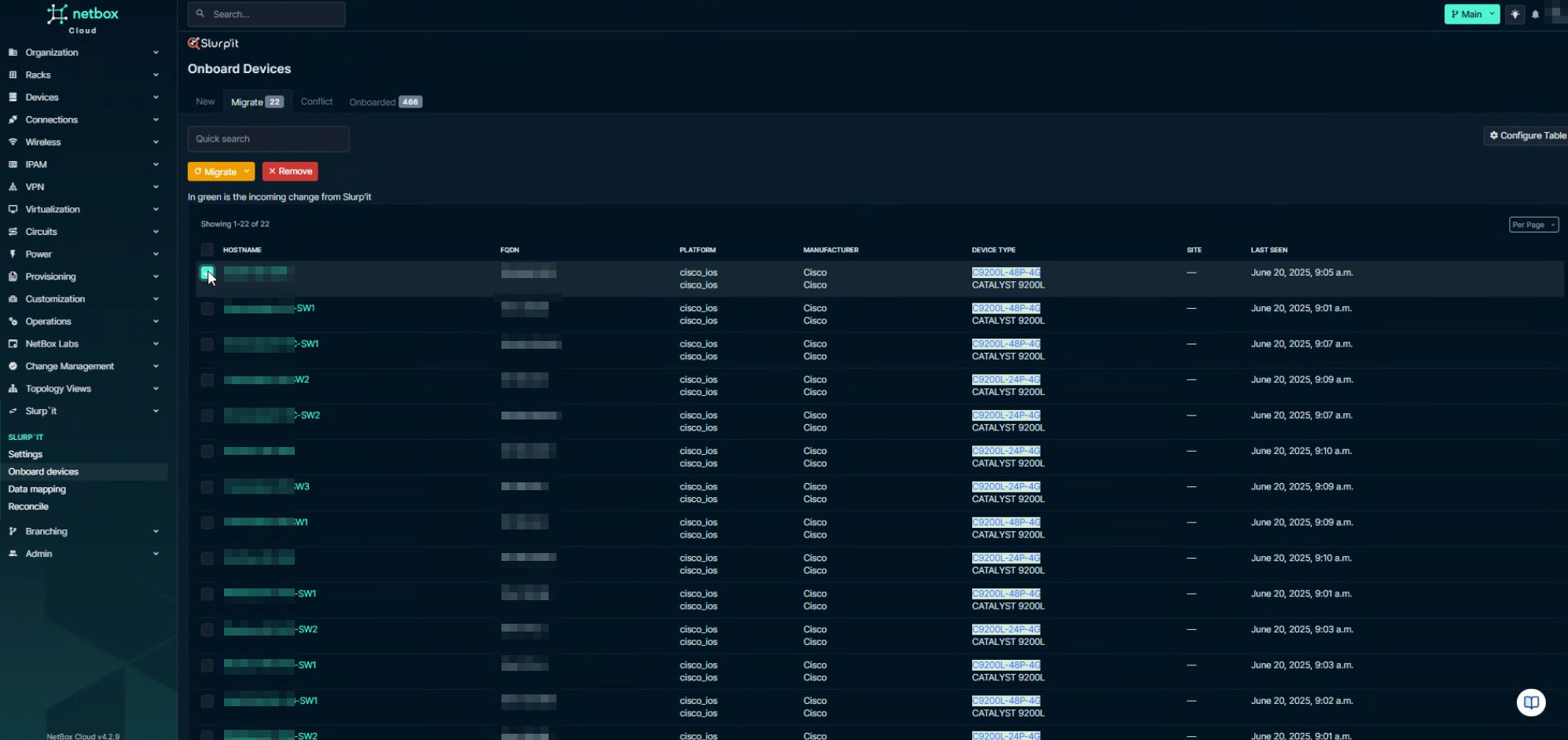
as a result, the C1000 devices are now detected by their correct Physical Name.
Better supported by the Netbox Device Type library
By default SSOTs like Netbox & Nautobot are using a Device Type library which does not always match our discovered Device Types but, by using the Transform rules, you can tailor it in such a way that it will match the correct Device Types used in your organisation.